Installing OV9281 Global Shutter UVC Camera Software
Setup Steps
Additional Documentation for this camera can be found on the Arducam Wiki.
- Plug the camera into the Jetson Orin via USB
-
Install v4l utility packages
sudo apt-get install v4l-utils -
List UVC devices connected to the USB ports (if you have multiple devices connected, multiple devices will show up! ensure that your Arducam device shows up)
v4l2-ctl --list-devices -
Install
guvcviewto test live video streamsudo apt install v4l-utils guvcview -
Run
guvcview, and select appropriate video input stream when promptedguvcview
Video stream from guvcview should look something like this: 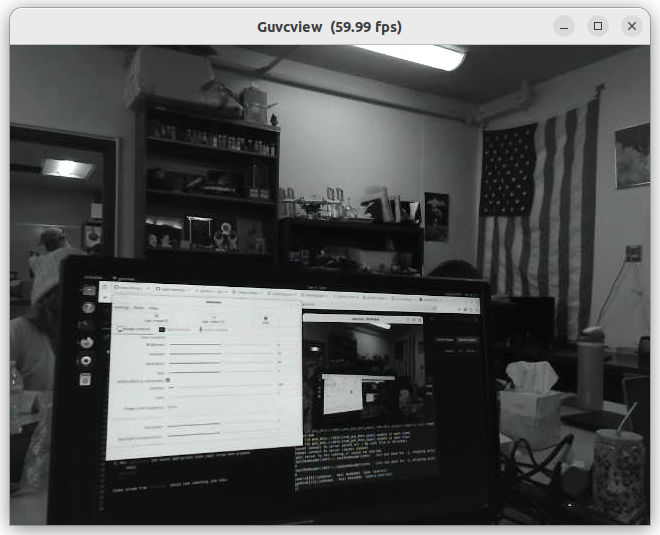
Working with Rviz2
Make sure that ROS2 is installed first!!
-
Install v4l2 camera node
sudo apt install ros-humble-v4l2-camera -
Launch
ros2 run v4l2_camera v4l2_camera_node --ros-args -p video_device:=/dev/video0Replace
video0with the video stream corresponding to your camera (may be different if you have multiple cameras connected). For example, with the D435i connected, my video streams for the OV9281 werevideo6andvideo7. -
In a separate terminal, view image:
ros2 run image_tools showimage -
Or, use Rviz to view (in a separate terminal as well)
rviz2If using Rviz to visualize, select
Addon the bottom left to add an image, go to the topics tab, find the/image_raw topic, and then selectImage, and pressOK. Rviz should look something like this, with the live video stream in the bottom left corner.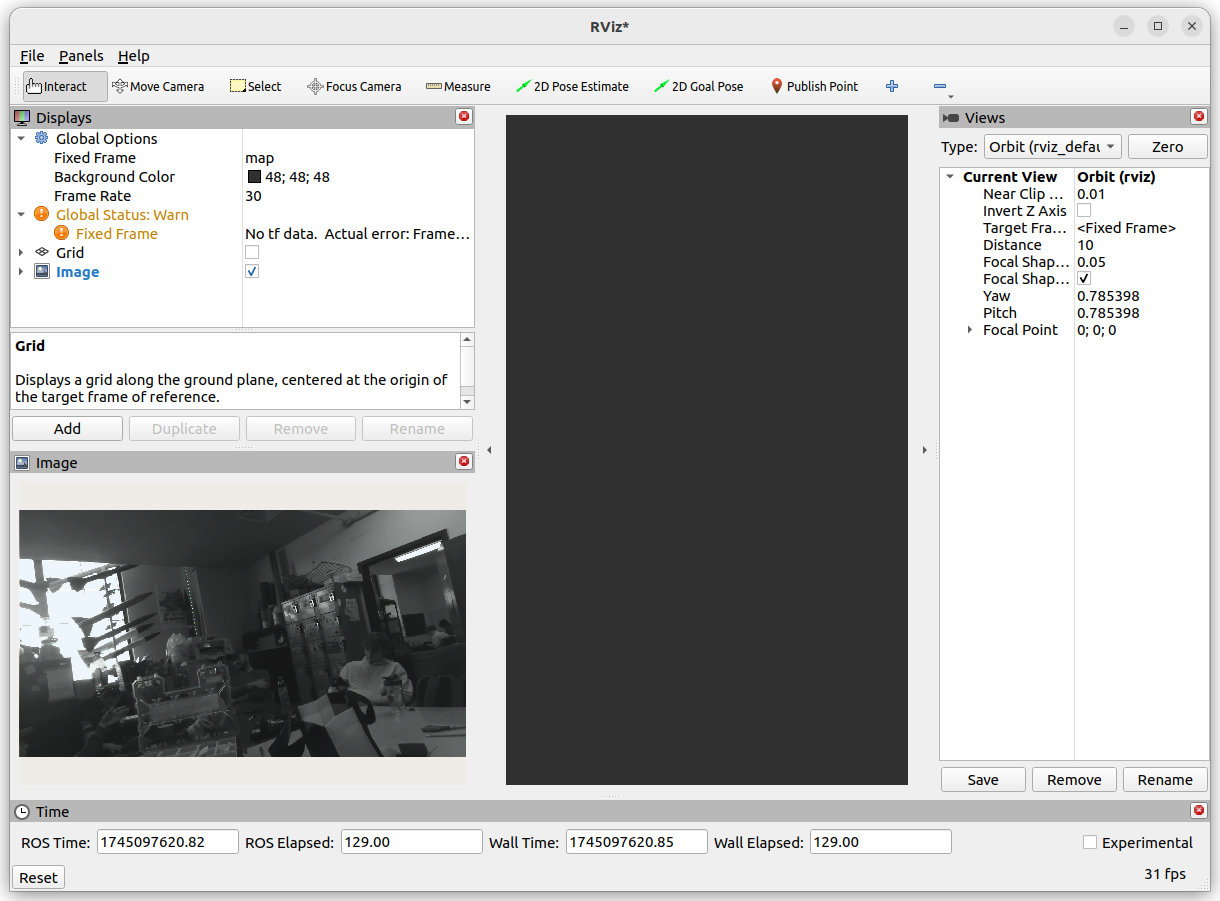
Author: Caleb Hans (https://github.com/caleb-hansolo)